
Description






Price: $649.99 – $579.99
Details)
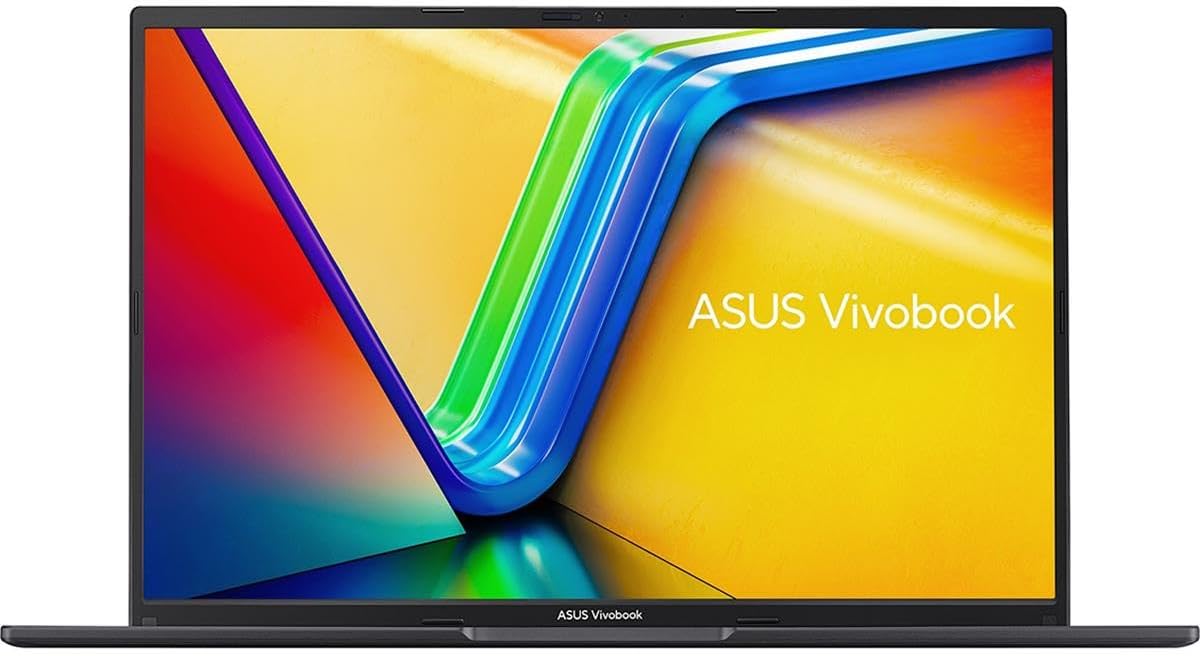
ASUS VivoBook 16 Laptop, 16” WUXGA (1920 x 1200) 16:10 Display, AMD Ryzen 7 7730U CPU, AMD Radeon™ Graphics, 8GB RAM, 1TB SSD, Fingerprint Sensor, Windows 11 Home, Indie Black, M1605YA-ES74
16” WUXGA (1920 x 1200) 16:10 aspect ratio display with ultra-slim NanoEdge bezels
TÜV Rheinland-certified with 86% screen-to-body ratio
Latest AMD Ryzen 7 7730U Mobile Processor (8-core/16-thread, 16MB cache, up to 4.5 GHz max boost) and AMD Radeon graphics
Fast storage and memory featuring 1TB M.2 NVMe PCIe 3.0 SSD and 8GB DDR4 RAM, Windows 11 Home
Extensive connectivity with USB 3.2 Gen 1 Type C, USB 3.2 Gen 1 Type A, USB 2.0 Type A, 3.5mm Combo Audio Jack, micro HDMI 1.4. Wi-Fi 6E(802.11ax) (Dual band) 1*1 + Bluetooth 5 (*USB transfer speed may vary. Learn more at ASUS Official Website)
US MIL-STD 810H military-grade standard
Sleek and lightweight at only 4.14 lbs and 0.78 inches thick
ErgoSense Backlit Chiclet Keyboard with Num-key and fingerprint sensor activated via Windows Hello
ASUS AI Noise-Canceling Technology employs machine learning to isolate unwanted noise from human speech, which ensures the best communications experience
Complimentary 1-month Adobe Creative Cloud subscription with the purchase. Learn more on ASUS website for more details
Reviewer: D470
Rating: 5.0 out of 5 stars
Title: Excellent Device
Review: This laptop is fantastic. I completely removed Windows and installed Ubuntu which easily installed and fully utilizes the hardware features including GPU (most importantly), without having to go manually grab a lot of device drivers like you have to with Debian for example. The computer runs wonderfully, is blazing fast and the GPU enables me to run my own offline AI large language model (LLM). In addition, the RAM and processing is more than sufficient to run virtual machines and any other tasks I need. I mainly use this device for personal projects related to programming, data analysis and other cyber security projects. I initially hesitated at the platinum gold color thinking it looked almost pink in the photos, but once I received it, found that the color appears more silver toned than anything and looks great. Overall great machine and far greater value than you’d get in a MacBook or any other similarly-priced devices. Assuming it lasts for awhile, I may get another Asus like it when the time comes.
Reviewer: Jorge
Rating: 5.0 out of 5 stars
Title: Amazing quality at a reasonable price
Review: I’ve been using this laptop for over a week now, I love the Quiet Blue color, anti glare screen, and large trackpad. The performance of the Ryzen AI processor is great and I love power efficiency, I was able to get more than 6 hours of screen considering I connected a external monitor.
Reviewer: Ofer Dahan
Rating: 5.0 out of 5 stars
Title: Very good. Highly recommended
Review: Very good screen. Fast answer strong processor and memory. Great look. The surface catch fingerprint signs…
Reviewer: Matthew
Rating: 4.0 out of 5 stars
Title: A couple of minor issues but all in all, a very good laptop for the price
Review: (edited 9-24-25)This device (Ryzen AI 7 350) must have the keyboard backlight completely turned off when it goes to sleep with power connected or the backlight will flash randomly while the PC is in sleep mode. It would seem that this does not happen when the laptop is not plugged into power. Hibernate mode does not incur this issue. Unfortunately, the hibernate option is not available on this device, whether you use the OEM Windows installation, or you do a fresh install (which will still automatically install ASUS apps and not affect your ability to register the product with ASUS, as well as automatically activating Windows.There’s a way you can forcibly activate the hibernate option in settings with a registry edit but that’s really only something an advanced user should consider because it is very easy to break stuff when you get into the registry editor.There is a workaround: Creating a desktop shortcut that runs the PowerShell command “shutdown -h” which will put it into hibernate when you need to be sure the device is and stays powered off, while also allowing you to resume with the desktop as you left it.I recommend using hibernate anyway if you are going to put the device into a bag. MS changed how sleep works and your device can now power up in sleep mode for a whole host of reasons, including updates. So sleep is unsafe for bagged devices anyway. The difference in startup time between sleep and hibernate on this device is about 2.5 seconds, thanks to modern NVMe drives being almost as fast as the RAM. I’m quite happy to wait an extra 2.5 seconds for safety reasons and to have more control over when updates install.If you do setup Windows with the OEM installer, you will have to agree to the McAfee T&C which is why it is probably better to re-install Windows from a generic installation USB, made using their tool.The NVMe drive runs hot (quickly thermally throttles at 70C under heavy load) so you need to stack up some thermal pads underneath it so there is a thermal conduction path under the drive into the steel spine of the device. A simple 1.5-2 mm thick copper sheet heat spreader on the top of the drive is not a bad idea either. I did both and temps are very cool. Never even hit 50C under testing. This is important because the OEM Micron drive uses a crappy Phison controller that is very thermally sensitive and can fail easily when running the drive bare.And now for the good parts:This is an incredibly well performing productivity laptop for the price. The 1920×1200 screen looks more like 1440p than 1080p and all that real estate is great for productivity use. It isn’t the brightest display in the world but more than good enough for indoor use and maybe occasional outdoor use under shade. The matte finish is great at minimizing glare.While this isn’t a gaming laptop, I found the gaming performance to be more than good enough to do some light gaming. It can run FH5 at 1200p medium with a constant 60fps, using FSR quality. But if you don’t put a stick of RAM in the empty expansion slot, the iGPU basically loses half its performance and gives nothing but stutters.So plan to get at least an 8GB DDR5-5600 SODIMM module if you buy it because you NEED dual channel RAM with these APUs. Even if you’re using it for productivity. Especially if you are doing video editing.I bought a stick of Samsung OEM “Green Stick” RAM, new, for $25, which worked fine with the soldered RAM on the motherboard.You can easily use the MyAsus app to change things like power modes and fan speeds. But the coolest thing is that it is really easy to change the iGPU RAM allotment. Having it set to auto is problematic if you are gaming. I had to dial it in to 4GB to get FH5 running without any frame drops. The software doesn’t seem to be able to automatically reallocate RAM fast enough for gaming.AI (LLMs) are doable with this device. There is 16GB of DDR5-5600 soldered directly to the MB and one SODIMM expansion slot. With there being 24GB, 32GB, 48GB and 64GB SODIMM modules available, there are several possible RAM configurations, up to 80GB possible. IIRC the APU actually supports up to 96GB RAM but this is not a possible combination here.You can potentially run some very large AI datasets with this laptop that were previously only the domain of very expensive enterprise GPUs, with the help of the 50 TOPS NPU. It won’t be super fast but, when it comes to LLMs, AI research and training, insufficient VRAM is a showstopper. Low throughput just means you wait a few days instead of a few hours.Another point to make is that this APU had one of the best 2D graphics scores I’ve ever seen so this could be a great budget device for a graphic artist.While the downward firing speakers aren’t ideal, I usually either have it on a simple aluminum stand on a table or desk, with the laptop at an angle conducive to reverberating the sound well or I am using headphones or external speaker. The sound quality itself is excellent for a laptop and it actually has an analog jack for my ancient but still functional studio headphones. This is a great budget option for music production, which is my primary use case.You’re not going to get fast USB or Thunderbolt here. The Wi-Fi isn’t the latest and greatest (but actually upgradeable if you want, by changint the Wi-Fi/BT card).I’ve had the device open twice now and it is relatively easy to get the back cover off. The NVMe, Wi-Fi module, RAM expansion slot and battery are all right there. I have literally never seen an easier laptop to clean and upgrade. You just have to keep track of where the screws go because there are 3 or 4 different lengths. I recommend a triangular heavy duty celluloid guitar pick as a prying tool. Celluloid is softer than ABS so you’re not going to scratch anything. They have more give than standard opening tools, which reduces the risk of breaking a clip when you’re popping it loose.Unlike some of the laptops I’ve had in the past, no little bits of plastic broke off and the back cover was just as firmly attached afterwards as it came from the factory. I have a MSI laptop that loses little pieces of the shell every time I open it up for cleaning.As far as interacting with the laptop, it feels good. Doesn’t get very hot in use so you don’t have a ton of fan noise. As long as you don’t block the cooling air intake or exhaust (intakes from the bottom and exhausts out the back), you can actually use this on your lap without burning yourself or getting a sweaty downstairs.Keyboard feels very good for a laptop. It is fairly tactile, which I really like for typing because I type fast, and feels crisp, not mushy.I also like the fact that the power button is on the keyboard, instead of on the side of the device, like most modern laptops. No more worrying about inadvertently turning on the laptop in a bag.The touchpad is one of the best I’ve ever used. Supports up to 4 finger gestures, feels smooth and slick to use and is responsive. Even the hard click feels good.I have consistently had good luck with ASUS products over the past 30 years or so and, of the 20-30 year old Asus hardware I still have, everything works.
Reviewer: Micheal
Rating: 1.0 out of 5 stars
Title: DO NOT BUY THIS COMPUTER!!!
Review: DO NOT GET THIS COMPUTER, it worked really well the first couple of weeks after buying it aesthetics wise it’s a stunning computer and I loved it at first but not even a month after that it started becoming slow, the response rate after clicking would be so delayed which I was fine with until now where it won’t even turn. regret purchasing this computer hopefully I can save someone else by leaving this review if your looking for one go with windows or dell even a MacBook would be better than this. I contacted ASUS customer support with this issue and they told me I had to pay a fee to get it fixed which was almost half of what I purchased it for. What ever you do, DO NOT GET THIS COMPUTER I regret not returning it sooner.
Reviewer: Jeremy Deibert
Rating: 5.0 out of 5 stars
Title: Functional PC with a good price
Review: This laptop has been excellent so far. The functionality is smooth and fast, making it great for both work and everyday use. I use it for building apps. The keyboard feels solid and comfortable to type on, and the sound quality is surprisingly clear for such a slim device.The screen has sharp color accuracy, which makes videos and photos look great. Build quality feels durable while still being lightweight and portable. For the price, this Vivobook offers great value and performance — highly recommend!
Reviewer: keith miller
Rating: 5.0 out of 5 stars
Title: Asus
Review: Great computer, fast lots of storage
Reviewer: GMP
Rating: 5.0 out of 5 stars
Title: Game changer!
Review: I went from working remote to being in the office full-time. I do not like to take my meetings at my desk with everybody around me. It is too noisy and using one monitor from my laptop on a Teams call in an huddle room is not a good work/meeting set up and annoying at best. We don’t have huddle rooms that support two monitors as I’m used to, so I thought I would beat the system and buy an actual one I can be portable with. Now I have the same set up, which is two monitors in a private huddle room, but easily connecting with a simple cord to my laptop. Thank you!
Reviewer: Steven Leighton
Rating: 5.0 out of 5 stars
Title:
Review: Esta es una computadora portátil liviana y robusta con suficiente velocidad para la mayoría de los usuarios que no realizan renderizado arquitectónico. No juego, así que no puedo comentar sobre eso. Utilizo software de cálculo y “Lilyspeech” y ambos funcionan bien. Me gustan los colores de los vídeos de YouTube y de las aplicaciones meteorológicas. PUNTO ADICIONAL: la computadora portátil en realidad tiene 16 GB, no 8 GB de RAM.
Reviewer: KaneloMex
Rating: 5.0 out of 5 stars
Title:
Review: Aun cuando la descripcion del producto dice que viene con 8 GB de memoria, la laptop viene con 16 gb.Segun la pagina de Asus la maxima memoria soportada por el equipo es de 16 gb, lo que realmente quiere decir que le puedes poner una memoria de 16 GB y llegar a 24 gb, como lo confirma la imagen que pongo.Literal arranca y entra a Windows en segundos.La usare para Karaoke y funciona a la perfección.Es muy rapida la laptop y muy ligera, la recomiendo mucho para actividades del hogar.Actualizacion:Intente con una memoria Kingston Fury de 32 gb 3200 y tambien la acepta el equipo, dejandola con un total de 40 gb de memoria.
Reviewer: Edith
Rating: 5.0 out of 5 stars
Title:
Review: Llevo más de un año usandola y no he tenido ningún problema. Me gusta mucho.Una duda simple, pero válida es si podrás usarla en tu idioma (español en mi caso) si el teclado está en inglés. Ahora todas o casi todas tienen una configuración para escoger el idioma, solo es cosa de acostumbrarse a donde quedan las teclas y ya está.Tenía mucho tiempo que quería probar Asus porque de otras marcas siempre se me ha alentado la laptop muy rápido con muy poca carga de aplicaciones y la verdad es que por el precio la calidad es más que competitiva. Yo estoy muy feliz.El único detalle que he encotrado es que el video a veces tiene glitch en Netflix. Ya la desinstalé y volví a instalar, pero no parece solucionarse. En You Tube no pasa así que no sé si es cosa de la computadora de como procesa las aplicaciones o de la app, pero tampoco es muy molesto
Reviewer: José Juan Arcos Pablo
Rating: 4.0 out of 5 stars
Title:
Review: La lap tiene 16 de ram, jala muy bien, la uso para tareas básicas y jala de sobra, la mía vino con un pequeño detalle en el touchpad y en una tecla pero no afecta en nada. Se me olvidaba, tiene teclado iluminado
Reviewer: Cristian
Rating: 5.0 out of 5 stars
Title:
Review: Buena capacidad, su memoria RAM es de 16 gb


