
Description




Price: $349.99 – $90.99
Details)
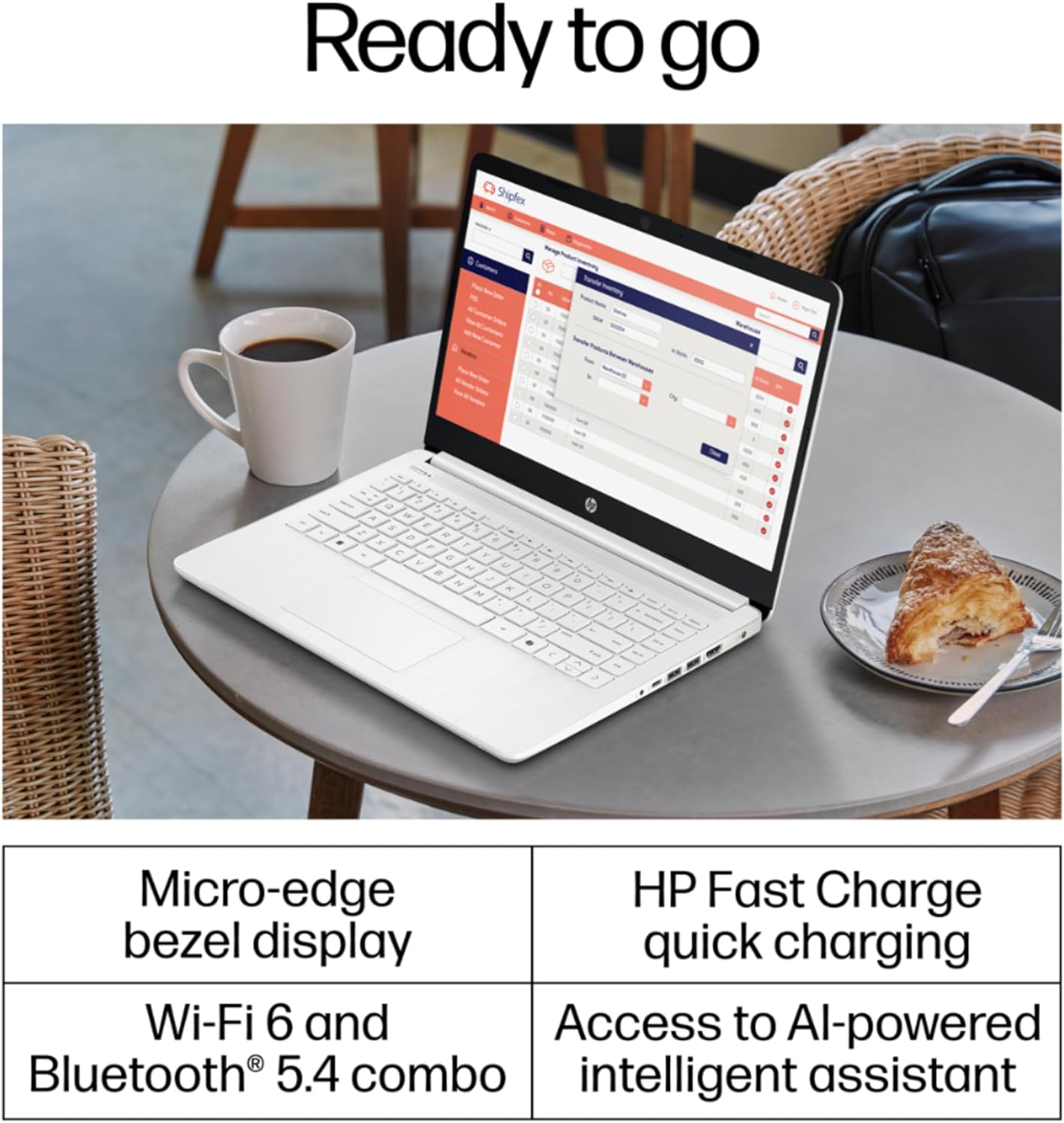
Switching out of S mode in Windows 11 Windows 11 in S mode is designed for security and performance, exclusively running apps from the Microsoft Store. If you want to install an app that isn’t available in the Microsoft Store, you’ll need to switch out of S mode 1. On your PC running Windows 11 in S mode, open Settings > System > Activation. 2. In the Switch to Windows 11 Pro section, select Go to the Store. (If you also see an “Upgrade your edition of Windows” section, be careful not to click the “Go to the Store” link that appears there.) 3. On the Switch out of S mode (or similar) page that appears in the Microsoft Store, select the Get button. After you see a confirmation message on the page, you’ll be able to install apps from outside of the Microsoft Store. HP 14 inch Laptop for Business and Student: Sleek design: Easily take this thin and light PC from room to room or on the road Dual array microphones: With two microphones and advanced noise reduction software, you’ll always sound crystal clear when you video chat or record Display: 14.0-inch diagonal, HD (1366 x 768), micro-edge, BrightView Processor: Intel Celeron N4120, 4 Cores & 4 Threads Graphics: Intel UHD Graphics 600 Operating System: Windows 11 Home in S mode HP Fast Charge: Go from 0 to 50% charge in approximately 45 minutes Battery Life: Up to 11 hours and 30 minutes (video playback); Up to 9 hours (wireless streaming) Webcam: HP True Vision 720p HD camera with integrated dual array digital microphones Connectivity: 802.11a/b/g/n/ac (2×2)(19a) Wi-Fi and Bluetooth combo Dimensions: 12.76 x 8.86 x 0.71 inches Weight: 3.24 lbs
【Make the most out of your 365】Bring your ideas to life.Your creativity now gets a boost with Microsoft 365. Office – Word, Excel, and Power Point – now includes smart assistance features that help make your writing more readable, your data clearer and your presentations more visually powerful. 1 -Year subscription included. Or Lifetime Office 365 for the web allows users to edit Word, Excel, and PowerPoint documents online at no cost, as long as an internet connection is available.
【14″ HD Display】14.0-inch diagonal, HD (1366 x 768), micro-edge, BrightView. With virtually no bezel encircling the display, an ultra-wide viewing experience provides for seamless multi-monitor set-ups. The storage capacity is 64GB hard drive, which includes a 64GB onboard drive.
【Processor & Graphics】Intel Celeron N4120, 4 Cores & 4 Threads, 1.10 GHz Base Frequency, Up to 2.60 GHz Burst Frequency, 4 MB Cahce, Intel UHD Graphics 600, Handle multitasking reliably with the perfect combination of performance, power consumption, and value.
【Ports】1 x USB 3.1 Type-C ports, 2 x USB 3.1 Type-A ports, 1 x HDMI, 1 x Headphone/Microphone Combo Jack, and there’s a microSD slot
【Windows 11 Home in S mode】You may switch to regular windows 11: Press “Start button” bottom left of the screen; Select “Settings” icon above “power” icon;Select “Activation”, then Go to Store; Select Get option under “Switch out of S mode”; Hit Install. (If you also see an “Upgrade your edition of Windows” section, be careful not to click the “Go to the Store” link that appears there.)
Reviewer: Mallorie Goguen
Rating: 5.0 out of 5 stars
Title: Perfect laptop for when you start your master’s
Review: I bought this laptop as my school laptop only. It was a GREAT price for everything I got.She works amazing and is actually perfect for a school computer that is portable and holds a great charge.She is compact and lightweight and looks so cute with some animal stickers (:
Reviewer: Nichole
Rating: 5.0 out of 5 stars
Title: Perfect little laptop
Review: This laptop is the perfect size to take anywhere. It’s slim and lightweight and easy to use!
Reviewer: kandv14
Rating: 5.0 out of 5 stars
Title: Nice laptop for the price.
Review: This is a nice laptop. Requirements for our needs fit the bill. My better half researched & picked it out. We thought it was the same size as the one that broke down but it’s a bit smaller which is alright. We’re older folks so the lighter keyboard is not for our liking but we’ll get used to it. Giving it a 5star because the price was fine & whatever small differences is about our needs not others.
Reviewer: Pat
Rating: 1.0 out of 5 stars
Title: Do not buy
Review: The laptop stopped working within a couple months of buying it and only using it for basic email, etc. Seller was no help and when contacted said “sorry to hear that” and offered nothing as a warranty. Contacted HP and they said it was under warranty. When they received it they then said the particular repair was not covered and want to charge $295 to fix it. It’s a $299 computer. Would not recommend to anyone.Edit – Adding to this – the 16GB Ram is aftermarket and not HP. This laptop is only built to handle 4GB of Ram and will always crash if more is added to that. This is misleading. Do not buy!!!
Reviewer: Paul Nuckols
Rating: 4.0 out of 5 stars
Title: Excellent Value
Review: Excellent value….. after set up, laptop was easy to use and handles everything I need to do
Reviewer: mary
Rating: 5.0 out of 5 stars
Title: Slim design is very nice
Review: Friend loves it. Works perfect.
Reviewer: Martin C. Howden
Rating: 5.0 out of 5 stars
Title: Good Buy
Review: I purchased this laptop for my son. He said it arrived quickly and is just what he wanted.
Reviewer: Brobbs
Rating: 5.0 out of 5 stars
Title: Nice screen
Review: Easy to use. Good features


